

Catalog · Passwords

KeePassXC

KeePassXC is a desktop password manager for Windows, macOS and Linux. Passwords are stored in an encrypted local database file in the KeePass (KDBX) format, which you can sync between devices with any file sync tool. Features include a password generator, TOTP codes, browser integration and passkey support.

Code Fireworks render of the KeePassXC repository, as of Nov 2026
As of Nov 2026Code Fireworks ↗

Why it fits

It is licensed under GPL version 2 or, at your option, version 3. Desktop installs are free for private use; sync is optional and under your control.
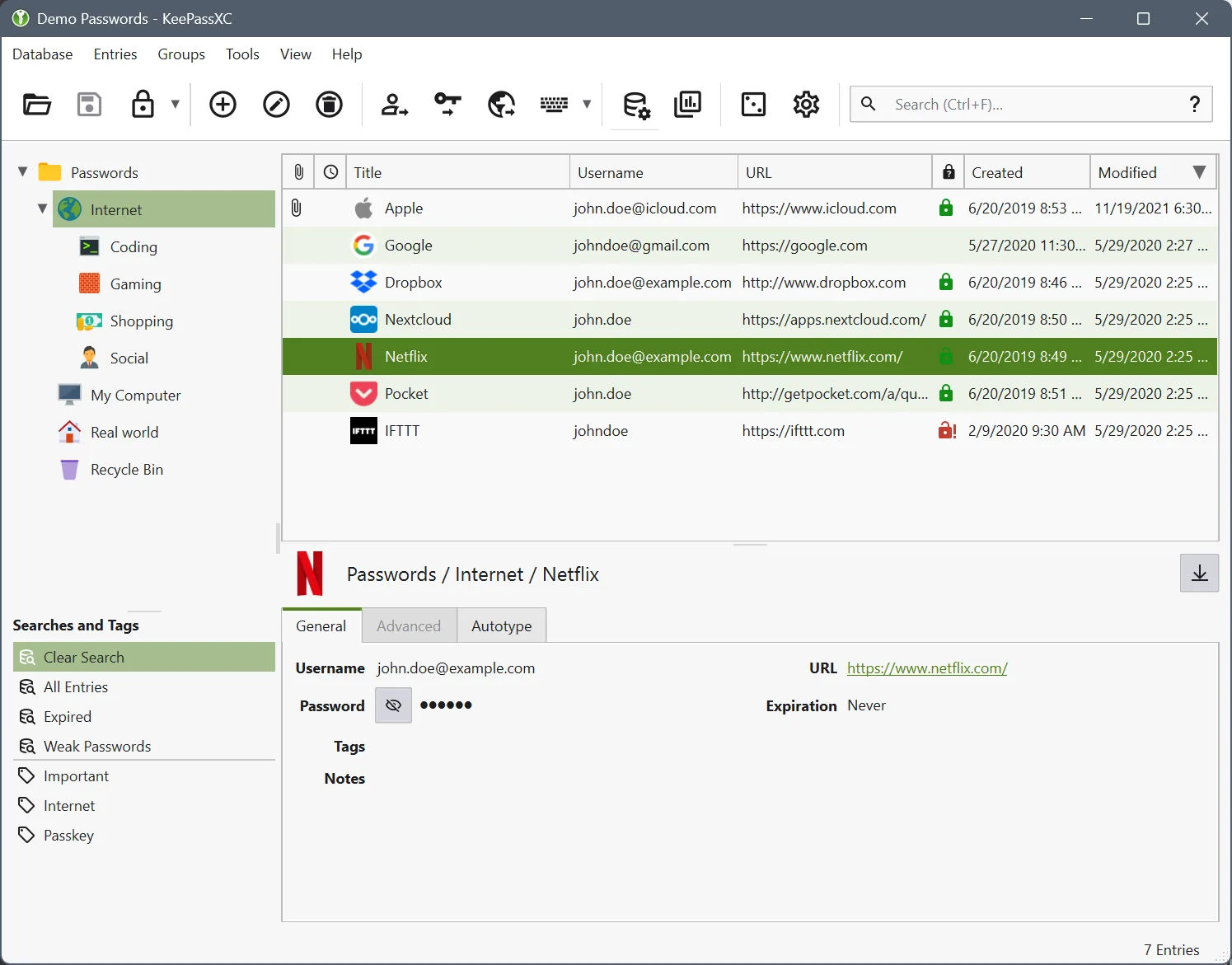
Screenshot of KeePassXC
Screenshot: Screenshot from the KeePassXC documentation, GPL-2.0 or GPL-3.0 · terms · source

Getting started

Prerequisites (from the official docs):

  • A Windows, macOS or Linux computer

Steps:

  1. Download KeePassXC for your operating system from the official download page.
  2. Install it and create a new database with a strong master password.
  3. Optionally enable the browser integration and install the KeePassXC-Browser extension.
  4. Optionally sync the database file between devices with a file sync tool.

Official downloads: https://keepassxc.org/download/

Notes

Not a hosted password service. Browser integration and sync tools are separate choices.

Sources

  1. keepassxc.org
  2. github.com/keepassxreboot/keepassxc/blob/develop/COPYING
  3. keepassxc.org/download
  4. futo.tech/grants

More in Passwords

← Back to the catalog